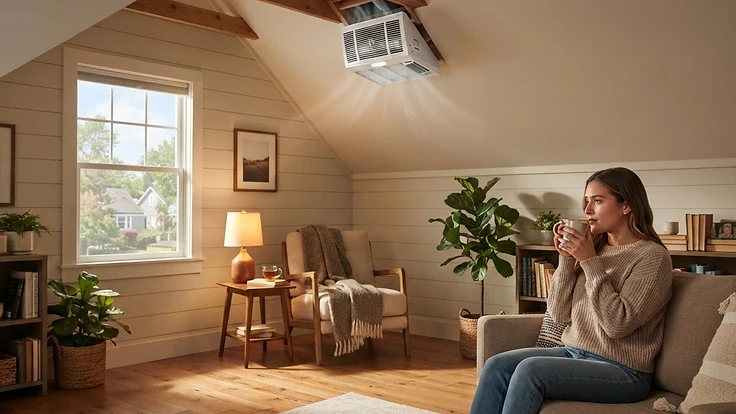
Why Your Attic Fan Runs Nonstop (And What It's Trying to Tell You)
A attic fan that never shuts off usually signals a stuck thermostat, bad wiring, or blocked intake vents — here's how to find the real cause.
The Fan That Never Rests
Most homeowners don't think much about their attic fan until they notice it humming away at 2 a.m. in the middle of winter, or running nonstop on a mild 65-degree day. A powered attic fan is supposed to cycle on and off based on temperature (or temperature and humidity), kicking in when the attic gets hot and shutting off once it cools. When it runs constantly, it's rarely a sign the fan is just "working hard." It usually means something in the system is broken, miscalibrated, or fighting against itself — and left unchecked, it can quietly rack up your electric bill or even point to a bigger ventilation problem.
Here's how to figure out which of the four most common culprits is behind your nonstop fan.
1. A Stuck or Miscalibrated Thermostat
Most attic fans are controlled by a built-in thermostat, usually set to kick on somewhere between 90–120°F. These thermostats are inexpensive, mechanical, and prone to drifting out of calibration or sticking in the "on" position after years of attic heat cycles.
How to check it: On a cool morning, climb up and check the attic temperature with a simple thermometer. If it's well below the thermostat's on setting but the fan is still running, the thermostat itself is likely the problem.
The fix: Most attic fan thermostats are adjustable with a small dial. Try turning it to a higher threshold and see if the fan responds. If it doesn't respond at all, the thermostat has failed and needs to be replaced — it's a $15–$30 part and a straightforward swap if you're comfortable working near attic wiring with the power off.
2. A Humidistat Picking Up False Signals
If your fan is a combination temperature/humidity model, a bad or dirty humidistat sensor can cause the same nonstop behavior, especially in summer when attic humidity spikes from outside air, insulation off-gassing, or a nearby bathroom exhaust vent dumping moist air into the attic instead of outside.
How to check it: Look at where your bathroom and dryer exhaust fans actually terminate. A surprising number of them are vented straight into the attic rather than through the roof or soffit — a mistake made during a prior renovation or a shortcut by a previous contractor. If that's happening, your attic fan may be reacting correctly to genuinely high humidity that has nowhere else to go.
The fix: Reroute any misdirected exhaust vents to the exterior. If the humidistat itself is just dirty or corroded, a gentle cleaning with a dry brush can sometimes restore accurate readings; if not, it's another low-cost part to replace.
3. Blocked or Insufficient Intake Vents
This is the one most homeowners miss. An attic fan doesn't just push hot air out — it has to pull in a corresponding amount of fresh air through soffit or gable vents to replace it. If those intake vents are blocked by insulation, bird nests, paint overspray, or simply weren't sized correctly when installed, the fan ends up straining to move air that isn't there. Instead of cycling efficiently, it runs longer and more often trying to compensate.
How to check it: From inside the attic, look along the eaves where the roof meets the exterior walls. You should see daylight or open vent material at regular intervals. If insulation has been blown in and is covering the soffit vents (a very common issue after an attic insulation upgrade), that's very likely your problem.
The fix: Install baffles (sometimes called rafter vents) between the roof deck and insulation to keep a clear air channel from the soffit into the attic space. This single fix often resolves "fan runs forever" complaints without touching the fan itself.
4. A Short or Wiring Fault Bypassing the Thermostat
If you've confirmed the thermostat is accurate and intake airflow is fine, but the fan still won't shut off even when you dial the thermostat to its highest setting, you may have a wiring short that's bypassing the thermostat entirely and feeding constant power to the motor.
How to check it: With the breaker off, inspect the wiring connections at the fan housing for any wires that look pinched, melted, or spliced incorrectly. Look for signs of rodent damage too — chewed insulation on wires is common in older attics.
The fix: This is the one scenario where I'd recommend calling an electrician rather than DIY-ing it. A short that's forcing constant power draw isn't just a comfort issue — it's a fire risk, especially in an attic full of insulation and dry framing lumber.
Don't Just Unplug It
It's tempting to simply cut power to a nonstop attic fan and call it solved, but that's trading one problem for another. Attics without adequate ventilation trap heat in summer (which can shorten shingle life) and trap moisture in winter (which invites mold and wood rot). The goal isn't to silence the fan — it's to get it cycling the way it was designed to.
Work through the checks above in order: thermostat accuracy, humidity sources, intake airflow, then wiring. Most of the time, the fix is a $20 part or an afternoon with a caulk gun and some vent baffles, not a full fan replacement.
Final Thought
An attic fan that won't shut off is your house flagging a ventilation imbalance somewhere in the system — and catching it early saves you both energy costs and potential roof damage down the line. A little detective work now beats a surprise roof repair later.
Want help tracking recurring issues like this across your whole home, with reminders before small problems turn into big ones? Start your free HomeNostics trial.