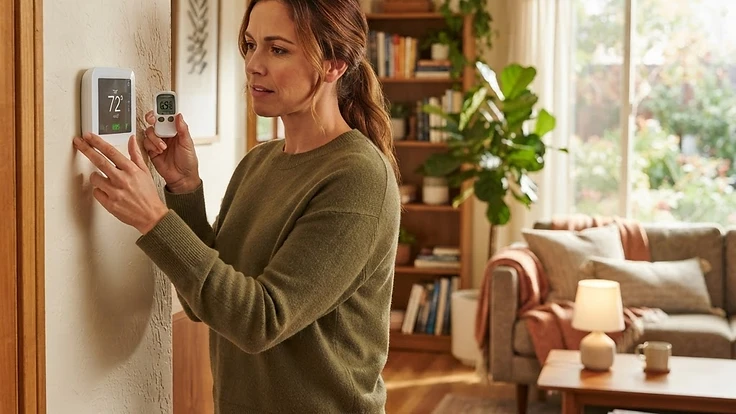
Why Your Thermostat Is Lying to You (And How to Diagnose Inaccurate Temperature Readings)
If your thermostat says 70°F but your house feels like 65°F, here's how to find the real cause and fix it.
The Thermostat Says 70°F, But It Doesn't Feel Like It
You set your thermostat to 70°F, but you're still reaching for a sweater. Or maybe you're sweating at a supposedly comfortable 72°F. If the number on the wall doesn't match what your body is telling you, your thermostat might be giving you bad information—and that mismatch can cost you comfort and money every single month.
A thermostat that reads inaccurately doesn't just annoy you. It causes your HVAC system to run longer than necessary, cycle inefficiently, or shut off before a room is actually comfortable. Here's how to figure out what's really going on.
Step 1: Rule Out Bad Placement
Thermostat location is the number one cause of "phantom" temperature readings, and it's the most overlooked.
Check if your thermostat is:
- Near a heat source — a lamp, TV, sunny window, or even a hallway light can artificially raise the reading.
- Near a cold draft — an exterior door, an unsealed window, or a return air vent blowing cool air directly onto it.
- On an exterior wall — these walls run colder or hotter than interior walls depending on the season, skewing the reading compared to the rest of the room.
- In a rarely used hallway or stairwell — these areas often run several degrees different from your main living spaces.
If your thermostat sits in any of these spots, it may be reading accurately for that exact location while being completely wrong for the rooms you actually spend time in.
Quick test: Place a separate, reliable thermometer (or a smart sensor) in the room where you spend the most time, away from vents and windows. Let it sit for 15 minutes, then compare it to your thermostat's reading. A gap of 2–4°F or more means placement is likely your problem.
Step 2: Check for Internal Buildup or Aging Components
Older mechanical thermostats (especially ones with a mercury switch or bimetallic coil) naturally drift out of calibration over time. Dust and debris inside the unit can also interfere with the sensor.
If you have an older thermostat:
- Turn off power at the breaker or remove the batteries.
- Carefully remove the cover and use a soft brush or canned air to clear dust from the internal components.
- Reinstall and power back on, then compare readings again after it stabilizes for 20–30 minutes.
If your thermostat is more than 10 years old and still reads inaccurately after cleaning, it's likely a calibration issue that cleaning alone won't fix. Many models have a hidden calibration adjustment (check your manual or the manufacturer's site), but if you can't locate one, it may be time to replace the unit rather than fight it.
Step 3: Look at Wiring and Connection Issues
A loose wire or poor connection at the thermostat base can cause erratic or delayed readings, especially with newer digital or smart thermostats.
Signs this might be your issue:
- The display flickers or resets randomly.
- The reading jumps several degrees in a short time with no obvious cause.
- The thermostat loses connection to your HVAC system intermittently.
If you're comfortable doing so, turn off power to the system, remove the thermostat faceplate, and check that each wire is firmly seated in its terminal. Loose wiring is common after a DIY install or years of vibration from nearby doors or foot traffic. If wiring looks corroded or frayed, that's a job for a licensed technician.
Step 4: Consider Whether It's a Sensor Problem, Not a Thermostat Problem
Some smart thermostats use remote sensors placed in other rooms to average temperatures across your home. If one of those sensors is malfunctioning, blocked, or has a dying battery, it can pull your entire system's average reading off course—even if the main thermostat unit itself is working fine.
Check your thermostat's app or settings menu to see which sensors are active and what each one is currently reporting. If one sensor reads drastically different from the others, replace its battery first. If that doesn't resolve it, the sensor itself may need replacing.
Step 5: Test the System's Response, Not Just the Number
Sometimes the thermostat reading is accurate, but the system's response to that reading is the real issue. To check this:
- Set a specific target temperature and time how long it takes your HVAC system to reach it.
- Note whether the system shuts off right when the target is reached, or significantly before/after.
- If there's a large lag between the target and the actual comfort level in the room, the issue may be airflow, insulation, or duct balancing rather than the thermostat itself.
This distinction matters because replacing a perfectly good thermostat won't fix a comfort problem caused by poor airflow or an unbalanced system.
When to Call a Professional
If you've ruled out placement, dust, and simple wiring issues and your thermostat still reads inaccurately, it's worth having an HVAC technician inspect the system. They can test the thermostat against calibrated equipment, check your system's airflow, and determine whether the issue is electrical, mechanical, or related to ductwork.
The Bottom Line
A thermostat that lies to you isn't just a minor annoyance—it's a sign that your home's comfort and energy use are being managed by bad data. The good news is that most inaccurate readings come down to a handful of common, diagnosable causes: poor placement, dust, aging components, or sensor issues. Spend 20 minutes testing with a secondary thermometer, and you'll likely know exactly where the problem lies.
Keeping track of when these issues started, what you've already checked, and how your system responds over time makes troubleshooting—and any conversation with a technician—much faster. Start your free HomeNostics trial to log your home's systems, track maintenance history, and catch small issues like this before they turn into bigger, costlier problems.